


Visit Our Main Website For A Quote
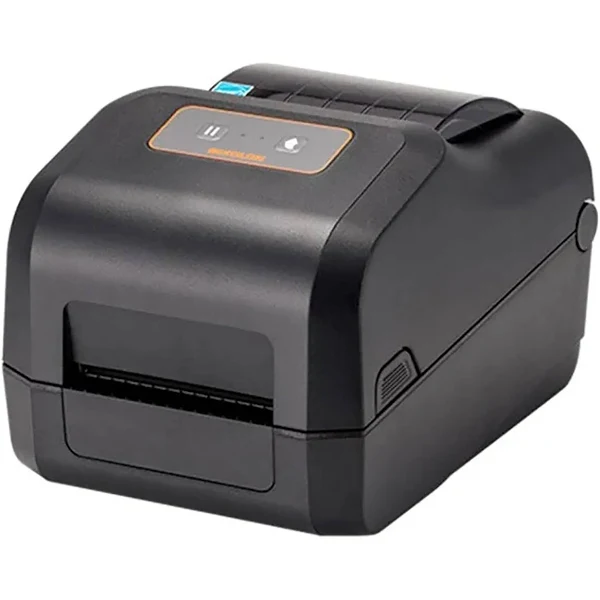
Desktop label printers are compact and versatile printing devices designed for use on a desk or countertop. They are ideal for a variety of labeling tasks in offices, small businesses, and home environments. Here’s a breakdown of what you should know about them:
Types of Desktop Label Printers:
- Thermal Label Printers: These are the most common type and use heat to create images on special label material. There are two main types:
- Direct thermal printers: These use heat-sensitive labels that darken when heated. They are simple and cost-effective but produce labels that may fade over time.
- Thermal transfer printers: These use a ribbon to transfer ink onto the label, creating more durable and long-lasting prints.
Features of Desktop Label Printers:
- Compact size: Designed to fit comfortably on a desk or countertop.
- Easy to use: Simple to set up and operate, with user-friendly software.
- Versatile: Can print a variety of label types and sizes.
- Affordable: Generally more affordable than industrial-grade label printers.
- Connectivity: Offer various connectivity options, such as USB, Bluetooth, and Wi-Fi.
Factors to Consider When Choosing a Desktop Label Printer:
- Printing technology: Decide whether you need direct thermal, thermal transfer based on your needs for durability, print quality, and cost.
- Label size and type: Make sure the printer can accommodate the size and type of labels you need.
- Print volume: Consider how many labels you will be printing to ensure the printer can handle the workload.
- Connectivity: Choose a printer with connectivity options that suit your setup.
- Software compatibility: Ensure the printer is compatible with your operating system and any labeling software you plan to use.
Common Applications for Desktop Label Printers:
- Shipping labels: For packages and envelopes.
- Product labels: For identifying products, including barcodes, pricing, and branding.
- File folder labels: For organizing documents and files.
- Address labels: For mailing and correspondence.
- Barcode labels: For inventory management and tracking.
Benefits of Using Desktop Label Printers:
- Convenience: Print labels on demand, as needed.
- Cost-effective: Eliminate the need to order pre-printed labels.
- Flexibility: Customize labels with variable data, such as barcodes, serial numbers, and dates.
- Improved efficiency: Streamline labeling processes and reduce errors.
The number of labels a desktop printer can print depends on a few factors, and there’s no single magic number. Here’s a breakdown:
- Printer Model and Duty Cycle: Each printer has a recommended “duty cycle,” which is the number of labels it’s designed to print within a specific timeframe (usually per month). This information is available in the printer’s specifications or user manual. A higher duty cycle means the printer is more robust and can handle more volume. Don’t exceed the recommended duty cycle, as it can lead to premature wear and tear.
- Label Size and Layout: Smaller labels generally mean you can print more per roll (and potentially per print job) than larger labels. Also, how the labels are arranged on the roll or sheet matters. Printing multiple labels across the roll (sometimes called “2-up” or “3-up” printing) can impact how the printer handles the job. The printer treats the label media as one continuous piece, regardless of how many labels are laid out across.
- Label Roll Length: Label rolls come in different lengths, so a longer roll will obviously allow for more labels to be printed before you need to change the roll.
- Printer’s Memory and Processing Power: Some complex labels with lots of graphics or variable data might require more of the printer’s resources. Printers with more memory and faster processors can handle larger print jobs without issues.
- Printing Software: The software you use to design and manage your labels can also impact how many labels you can print in one go. Some software may have limitations on batch printing or variable data printing.
So, how many labels can you actually print?
- For everyday use: Most desktop label printers can comfortably handle hundreds of labels in a single print job, as long as you’re within the printer’s duty cycle and the label rolls are appropriately sized.
- For large volumes: If you consistently need to print thousands of labels at a time, you might want to consider a more robust industrial-grade label printer, which are designed for high-volume printing.