Tag: nfc android mobile computer

  • NFC Reader Info

    An NFC reader is a device that can read and sometimes write data stored on NFC (Near Field Communication) tags or transmitted by other NFC-enabled devices. Think of it as the tool that allows you to interact with NFC technology.

    Here’s a breakdown:

    What does it do?

    An NFC reader uses radio waves to communicate with NFC tags or other NFC devices over a very short distance (usually a few centimeters). It can:

    • Read data: Retrieve information stored on an NFC tag, such as a website URL, contact details, or product information.
    • Write data: In some cases, it can also write new information to an NFC tag.
    • Communicate with other NFC devices: Exchange data with other NFC-enabled devices, like smartphones, for tasks such as contactless payments or file sharing.

    Where are they found?

    NFC readers are integrated into a variety of devices:

    • Smartphones: Most modern smartphones have built-in NFC readers.
    • Tablets: Many tablets also include NFC functionality.
    • Dedicated NFC readers: These are standalone devices used for specific applications, such as access control or point-of-sale systems.
    • Point-of-sale terminals: NFC readers are commonly integrated into payment terminals for contactless payments.
    • Other devices: Some laptops, wearables, and other electronic devices also include NFC readers.

    How do they work?

    NFC readers emit a radio frequency field. When an NFC tag or another NFC device comes close to the reader, this field induces a current in the tag or device, allowing it to communicate with the reader and exchange data.

    What are they used for?

    NFC readers enable a wide range of applications:

    • Contactless payments: Reading payment information from NFC-enabled cards or smartphones.
    • Data sharing: Exchanging files, contact details, or other information between devices.
    • Access control: Reading NFC tags or cards to grant access to buildings or restricted areas.
    • Information sharing: Retrieving information from NFC tags embedded in posters, products, or other objects.
    • Device pairing: Quickly and easily pairing Bluetooth devices by tapping them together.

    Key considerations when choosing an NFC reader:

    • Compatibility: Ensure the reader is compatible with the types of NFC tags or devices you want to interact with.
    • Connectivity: Consider how the reader will connect to your system (e.g., USB, Bluetooth, Ethernet).
    • Range: While NFC has a short range, the specific read range can vary between readers.
    • Features: Some readers offer additional features, such as the ability to write data to NFC tags or support for specific NFC protocols.
    • Application: The best reader will depend on your specific use case. For example, a retail point-of-sale system will have different requirements than an access control system.

    NFC readers are a crucial part of the NFC ecosystem, enabling a wide range of contactless and convenient interactions.

  • Android Mobile Computer Scanners

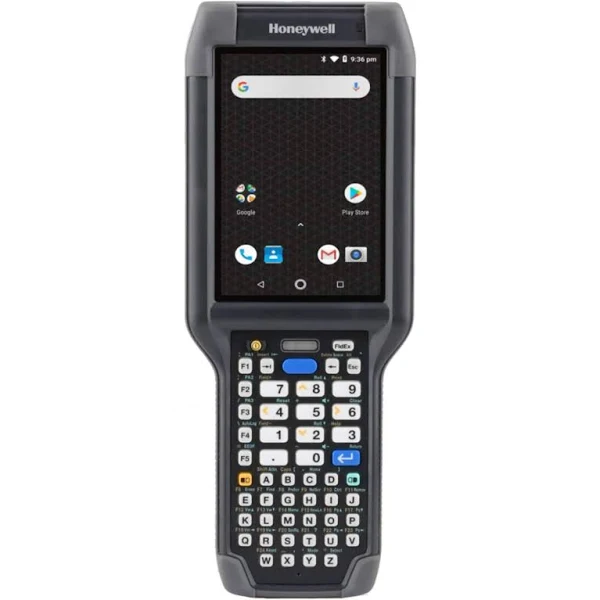
    Android mobile computers with built-in scanners are powerful tools for businesses needing efficient data capture and mobile computing in one device. They combine the familiar Android operating system with rugged hardware and specialized scanning capabilities. Here’s a breakdown of what you need to know:  

    What are they?

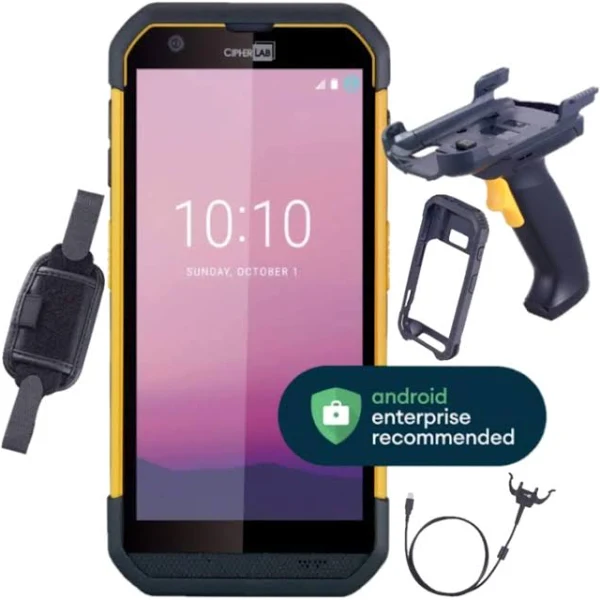
    These devices are essentially ruggedized Android tablets or smartphones with integrated barcode scanners (1D or 2D), often along with other data capture options like RFID readers or NFC. They’re designed to withstand the rigors of industrial environments.  

    Key Features:

    • Rugged Design: Built to withstand drops, shocks, extreme temperatures, dust, and moisture (often IP65 or higher ratings).  
    • Integrated Barcode Scanner: High-performance scanners for fast and accurate reading of 1D and/or 2D barcodes.  
    • Android OS: Familiar and customizable operating system, allowing for the use of business-specific apps.  
    • Powerful Processors and Memory: Handle demanding applications and large amounts of data.  
    • Connectivity: Wi-Fi, Bluetooth, and often cellular connectivity (4G/5G) for staying connected.  
    • Long Battery Life: Designed for extended use in the field.  
    • Keyboards and Touchscreens: Combine physical keyboards for data entry with touchscreens for navigation and application use.  
    • Customizable: Often configurable with different scanning engines, keypads, and other options.

    Types of Scanners:

    • 1D Laser Scanners: Read traditional linear (1D) barcodes.  
    • 2D Imagers: Read both 1D and 2D barcodes (like QR codes), and can often capture images as well.  

    Common Applications:

    • Inventory Management: Scanning barcodes for receiving, putaway, cycle counting, and stocktaking.
    • Warehouse Operations: Managing inventory, tracking shipments, and fulfilling orders.  
    • Logistics and Transportation: Tracking packages, managing deliveries, and capturing proof of delivery.  
    • Field Service: Capturing data on-site, managing work orders, and tracking assets.  
    • Retail: Point of sale, inventory management, price checking.  
    • Healthcare: Patient identification, medication tracking, and specimen labeling.  

    Benefits:

    • Increased Efficiency: Streamlined data capture and reduced manual errors.  
    • Improved Accuracy: Accurate barcode scanning eliminates data entry mistakes.  
    • Real-time Data: Data is captured and transmitted in real-time for immediate access.  
    • Enhanced Productivity: Faster and more efficient workflows.  
    • Cost Savings: Reduced labor costs and improved inventory management.  

    Key Considerations:

    • Durability Requirements: Choose a device with the appropriate ruggedness rating for your environment.
    • Scanning Needs: Consider the types of barcodes you need to scan (1D, 2D, or both).
    • Connectivity Needs: Determine the required connectivity options (Wi-Fi, Bluetooth, cellular).
    • NFC Functionality: Ensure the device supports the specific NFC tag types and functionalities you need.
    • Software Compatibility: Ensure the device is compatible with your business applications.
    • Battery Life: Choose a device with a battery life that meets your needs.
    • Budget: Android mobile computers with scanners can range in price, so set a budget.

    If you need a rugged and versatile device for data capture and mobile computing in a demanding environment, an Android mobile computer might be the perfect solution. Just be sure to carefully consider your needs and choose a device that meets your specific requirements.