

Visit Our Main Website For A Quote
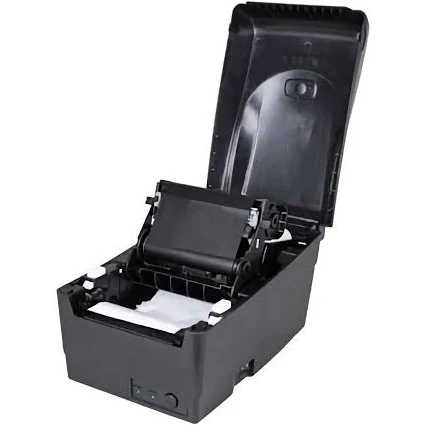
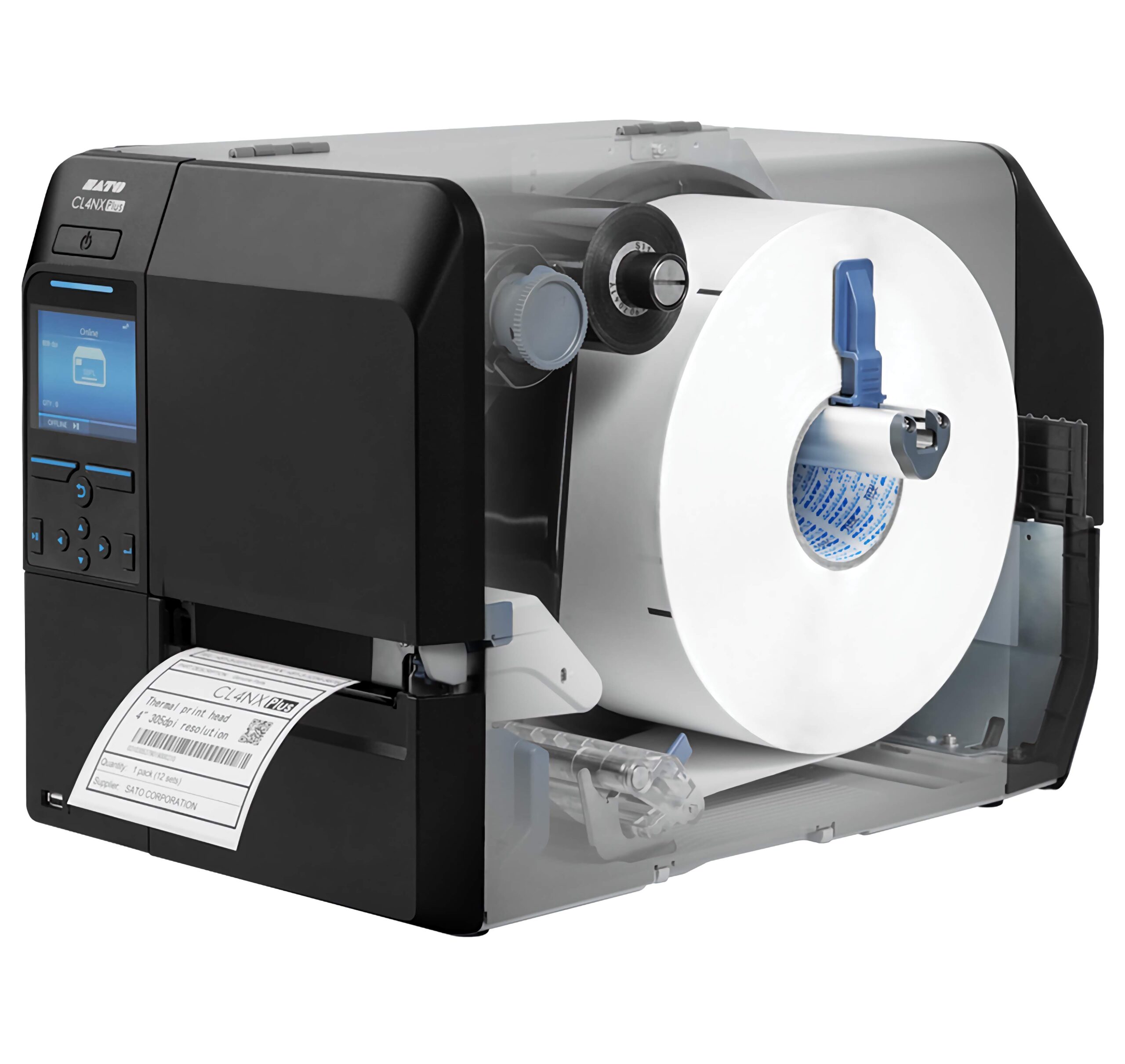
Industrial label printers are workhorses designed for high-volume, demanding labeling tasks. They’re built to withstand tough environments and produce durable labels for a variety of applications. Here’s a breakdown of what makes them different:
Key Features of Industrial Label Printers:
- Rugged Construction: Industrial printers are built with durable materials, such as metal frames and casings, to withstand harsh conditions like dust, moisture, and extreme temperatures.
- High-Volume Printing: They are designed for continuous, high-volume printing, capable of handling large print jobs without overheating or downtime.
- Fast Print Speeds: Industrial printers offer fast print speeds to maximize efficiency and productivity.
- Durable Prints: They produce durable labels that can withstand harsh environments, chemicals, and abrasion.
- Versatile Media Handling: Industrial printers can handle a wide range of label materials, including paper, synthetic materials, and specialty labels.
- Advanced Connectivity: They offer various connectivity options, such as Ethernet, USB, serial, and wireless, to integrate seamlessly into existing systems.
- User-Friendly Interfaces: Many industrial printers feature user-friendly interfaces with LCD screens and intuitive menus for easy operation.
Types of Industrial Label Printers:
- Thermal Transfer Printers: These are the most common type of industrial label printer, using a ribbon to transfer ink onto the label material. They produce durable, long-lasting prints that can withstand harsh environments.
- Direct Thermal Printers: These printers use heat-sensitive labels that darken when heated. They are simpler and more cost-effective than thermal transfer printers but produce labels that may fade over time.
Factors to Consider When Choosing an Industrial Label Printer:
- Print Volume: Determine the number of labels you will be printing daily or weekly to choose a printer with the appropriate duty cycle.
- Print Speed: Consider the required print speed to meet your production needs.
- Label Size and Type: Make sure the printer can accommodate the size and type of labels you need.
- Durability Requirements: Assess the environmental conditions where the labels will be used and choose a printer that produces durable prints.
- Connectivity: Select a printer with connectivity options that are compatible with your existing systems.
- Software Compatibility: Ensure the printer is compatible with your labeling software and operating system.
Common Applications for Industrial Label Printers:
- 1. Manufacturing:
- Product Identification: Labeling parts, components, and finished goods with barcodes, serial numbers, and other identifying information.
- Work-in-Progress Tracking: Tracking items through the production process with labels that indicate their status, location, and next steps.
- Compliance Labeling: Creating labels that meet industry regulations and standards, such as those for hazardous materials or safety warnings
2. Warehousing:
- Inventory Management: Labeling shelves, racks, and storage locations with barcodes to track inventory levels and movements.
- Shipping and Receiving: Labeling incoming and outgoing shipments with barcodes and other information for efficient processing.
- Pallet and Container Labeling: Creating labels for pallets and containers to track their contents and destination.
3. Logistics and Supply Chain:
- Package Tracking: Labeling packages and parcels with tracking numbers and other information for real-time tracking throughout the supply chain.
- Transportation: Labeling cargo, containers, and vehicles with barcodes and other identifying information.
- Distribution Centers: Labeling products and shipments for efficient sorting and routing.
. Healthcare:
- Specimen Labeling: Labeling medical specimens with barcodes and patient information for accurate identification and tracking.
- Medication Labeling: Labeling medications with barcodes and dosage information for safe and accurate administration.
- Equipment Tracking: Labeling medical equipment with barcodes for maintenance tracking and inventory management.
5. Other Industries:
- Retail: Labeling shelves, products, and promotional materials with barcodes and pricing information.
- Transportation: Labeling baggage, tickets, and boarding passes with barcodes for efficient processing.
- Government: Labeling assets, documents, and other items for tracking and management.
Benefits of Using Industrial Label Printers:
- Increased Productivity: Fast print speeds and high-volume capabilities improve efficiency.
- Durability: Labels can withstand harsh environments and remain legible for extended periods.
- Accuracy: High-quality printing ensures clear barcodes and text for accurate scanning and identification.
- Versatility: Can print on a wide range of label materials and sizes.
- Reliability: Built for continuous operation in demanding environments.
Industrial label printers are built for high-volume printing, but the exact number of labels they can print in a given time depends on several factors:
- Printer Model and Duty Cycle: Each industrial printer has a “duty cycle,” which is the recommended number of labels it can print within a specific timeframe (usually per month). This is a crucial factor to consider. Industrial printers are designed for much higher duty cycles than desktop printers. Some can handle thousands of labels per day, while others are built for continuous 24/7 operation.
- Label Size and Layout: Smaller labels mean you can generally print more per roll and potentially per print job. The layout of labels on the roll (e.g., single row, multiple rows) also affects how the printer handles the job.
- Label Roll Length: Longer label rolls allow for more labels to be printed before you need to change the roll.
- Print Speed: Industrial printers are known for their fast print speeds, which is essential for high-volume printing. This speed is usually measured in inches per second (IPS).
- Printer’s Memory and Processing Power: Complex labels with graphics or variable data require more processing power. Industrial printers have robust memory and processors to handle large print jobs without issues.
- Printing Software: The software you use to design and manage labels can also impact how many labels you can print in one go. Some software may have limitations on batch printing.
- Thermal vs. Direct Thermal: Most industrial printers use thermal transfer technology, which is ideal for high-volume and durable labeling. Direct thermal printers are less common in industrial settings due to their labels’ limited lifespan.
So, how many labels can an industrial label printer realistically print?
- Thousands per day: Many industrial label printers can handle thousands of labels per day, especially the higher-end models.
- Continuous printing: Some models are designed for 24/7 operation, meaning they can theoretically print labels constantly, with only downtime for maintenance and label/ribbon changes.
To determine the printing capacity of a specific industrial label printer, check these things:
- Printer specifications: Look for the duty cycle information.
- Label roll size: Check the label roll specifications to see how many labels are on the roll.
- Printing software: See if there are any limitations on batch printing.
Important Note: It’s crucial to stay within the printer’s recommended duty cycle to avoid premature wear and tear.
Industrial label printers are powerful tools for businesses with high-volume labeling needs. By considering the factors above, you can choose the right printer to meet your specific requirements. Sources and related content